- GPU Repair
- Elk Grove, CA
- Mail-in available
Graphics Card Repair · Elk Grove, CA
Most shops send a failed GPU away. We open it here.
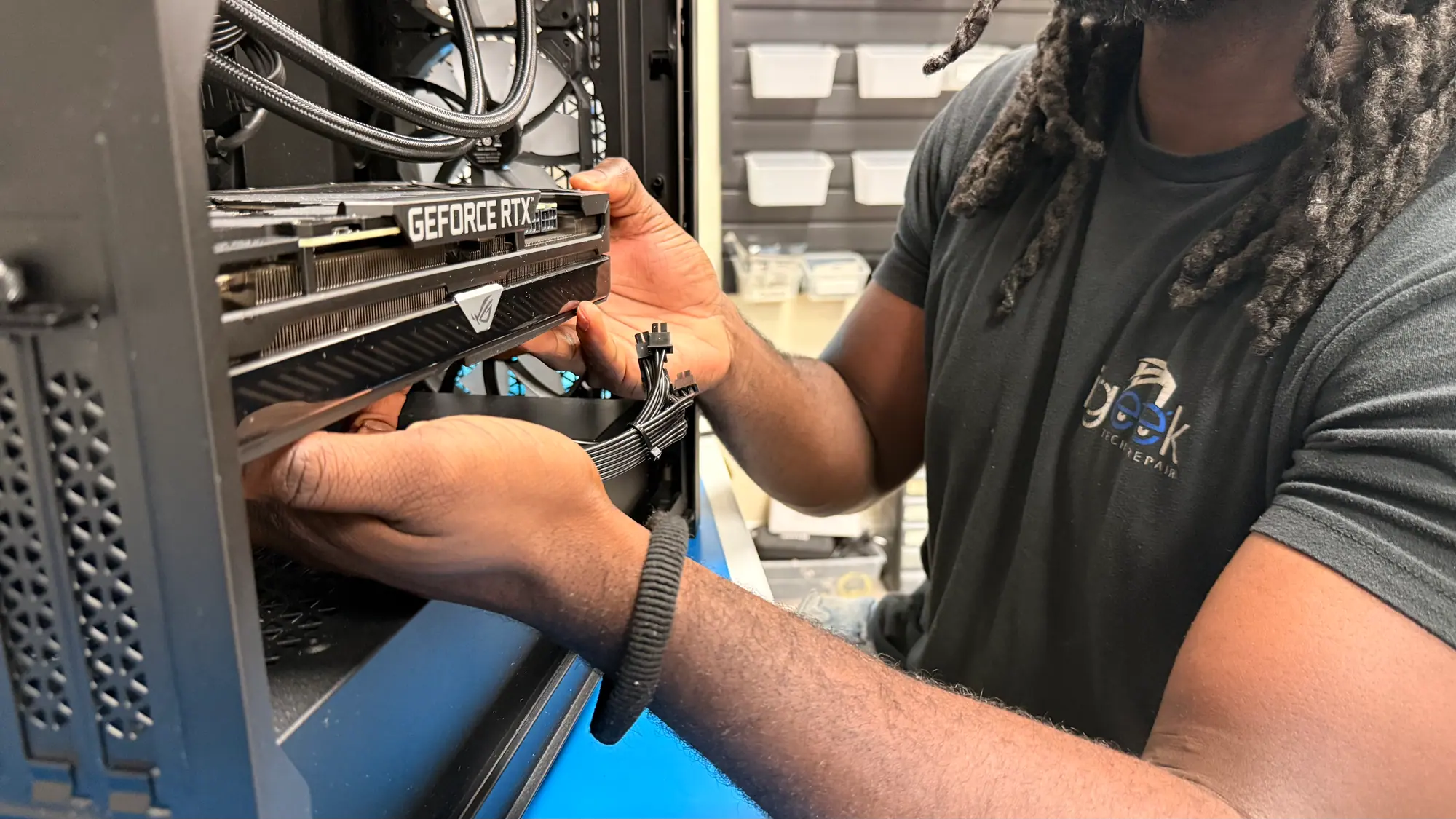
Every graphics complaint starts the same way with us: the card gets separated from the power supply, the slot and the driver stack, because all four can produce the same dark screen. Once we know which one gave out, you get a straight answer on replacing the card or repairing it at the component level.
- Elk Grove, CA 8145 Elk Grove Blvd, Suite 12, Elk Grove, CA 95758
- Mon-Fri 10-5, Sat 10-3 Shop hours
- Work done in-house By our own technicians at our Elk Grove shop
- (916) 627-1818 Call or mail it in
“I brought in my custom built gaming pc because all my games kept crashing and I had no idea what was wrong. Hammad was able to narrow the issue down to the graphics card and had it fixed promptly.”
Reading the Symptoms
Match the behavior to the likely cause.
A graphics fault usually leaves a signature. Corruption in the image, a driver that resets itself, a machine that only misbehaves in 3D: each points somewhere different, and some of them point away from the card entirely. Find the one that matches your machine, and the bench work settles the rest.
GPU repair is part of our computer repair service in Elk Grove.
-
Nothing on the display
The tower runs, the fans turn, and the panel reports no input. A failed card does that. So does bad memory, a supply that cannot start under load, a card sitting proud of its slot, or a cable that has given up. Each one gets eliminated in turn.
-
Artifacts in the picture
Squares of garbled texture, stray dots of wrong color, triangles shooting off toward nowhere. When the pattern travels with the rendered image rather than the whole desktop, VRAM or the solder beneath the GPU package is the first place to look.
-
It only falls over under load
Idle is fine, a browser is fine, then a game or an export drops to black or throws a driver timeout. Heat and current draw climb together once the card is working, and that is where weak voltage regulation and tired solder joints show themselves.
-
A fan that rattles or has stopped
Clicking and grinding means a bearing on its way out. Once a fan stops, the core and the memory underneath climb until the card pulls itself back to protect the silicon. Fan and shroud assemblies are usually replaceable; the open question is what the temperatures did in the meantime.
-
Clocks dropping as it warms up
Frame rates that start well and then fade tell you the card is winding its own clocks back to stay inside its thermal limit. Hardened paste, memory pads gone flat and a heatsink packed with dust all cause it, and all of them are bench work rather than a new card.
-
Driver refuses to install or keeps resetting
Remnants of a previous card, a half-applied update, or hardware that was already marginal will each produce this. Wiping the driver stack back to nothing and building it up again is how we tell a software mess from a failing card.
-
Only games trigger it
Desktop work asks almost nothing of a graphics card. If the trouble appears exclusively in 3D, the suspects are the parts that only get busy in 3D: the memory, the power stages, and whatever the cooler is or is not managing to do.
-
Supply that runs out of headroom
Cards pull short transient spikes well past their nominal draw, so a unit rated comfortably on paper can still dip and trip the machine off mid-game. We look at the rails, the connectors the card actually expects, and the age of the supply.
-
It will not go in the case
Length stops most upgrades, but card height against the side panel, the room a power cable needs to bend, and drive cages sitting in the path all count. Measuring first is cheaper than arranging a return.
-
The bottleneck is somewhere else
A strong card paired with an aging processor spends much of its time waiting. We look at the processor, the memory and the drive as one system, and tell you which part of it is actually holding the frame rate down.
-
Feeding a larger or faster panel
Nothing changes the load on a card as much as resolution and refresh rate. If a new monitor is what prompted all this, we can measure what your existing card manages on it before you commit to buying another.
-
Damage on the card itself
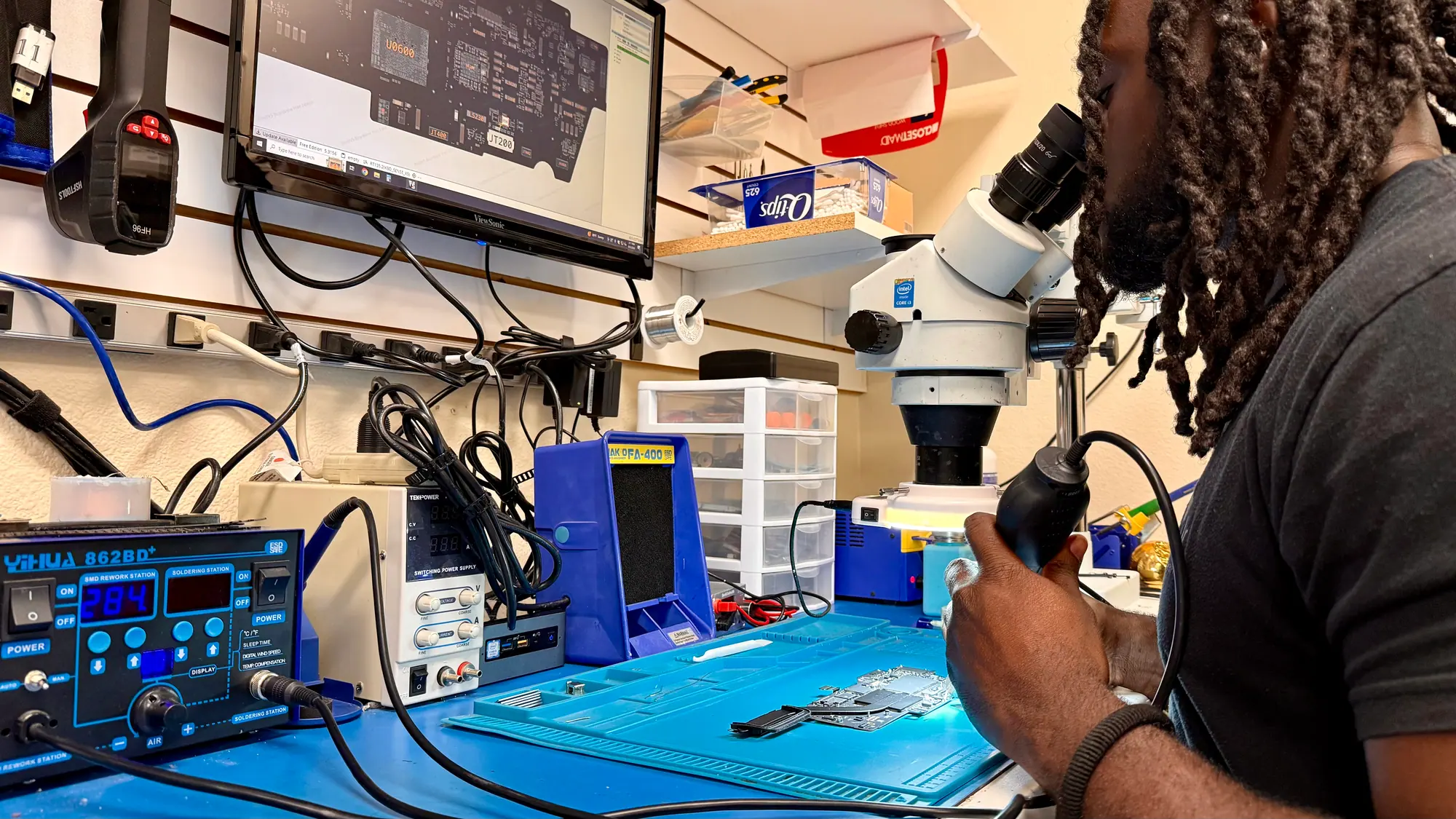
A failed memory package, a power phase gone short, a BGA joint cracked by thermal cycling. That is microsoldering, done at our own Elk Grove bench rather than sent away, and it is worth doing when the card justifies the labor.
Cards We Work On
GeForce, Radeon and Arc, old and new.
Underneath the cooler these boards are more alike than the marketing suggests: one large package, memory sitting around it, and a row of power stages feeding the lot. What genuinely differs is whether replacement parts exist and whether the repair is worth more than the card.
-
GeForce RTX 50 series
Nvidia's current generation. Transient draw is high on these, so the supply gets checked alongside the card. -
GeForce RTX 40 and 30 series
Where most of our bench time goes. Plenty of 3060 and 3070 boards are now old enough to want fresh paste and pads. -
Radeon RX 9000
AMD's current lineup, 9060 XT through 9070 XT. Mostly cooling service and power questions rather than failures so far. -
Radeon RX 7000
The 7600 up to the 7900 XTX. A generation back, and still more card than most 1440p setups will ask for. -
Intel Arc
A380 through A770. Software support has moved a long way since launch, so a driver rebuild is often step one on these. -
Budget and previous-generation cards
GTX 16 boards, the RX 6400 and 6500, and the used cards people pick up for esports titles. Usually worth servicing rather than binning. -
Professional and creator boards
Nvidia's professional range, Radeon Pro, and the large-memory consumer cards people run for rendering, video and local model work. -
Card plus supply in one visit
If the card you want asks more of the supply than the machine can give, we handle both together rather than sending you home to try it.
Order of Work
What happens after you hand it over.
We work in a fixed order so the buying decision comes last, once the fault has a name instead of a guess attached to it. Graphics hardware is unforgiving about this, because the card, the supply and the motherboard can all produce an identical dead screen.
-
Describe the fault
Phone us, message us, walk the machine in, or mail the card in. When it started, what it was doing at the time, and anything that changed just beforehand will usually halve the list of suspects before a screwdriver comes out.
-
Isolate it on the bench
Your card goes into a machine we trust and, when the whole machine is here, a card we trust goes into yours. That is how the fault stops being a mystery: it is the card, the supply, the board or the software.
-
The routes, and what each one costs you
Every repair is quoted after inspection, before any work starts. Where a new card is the better use of your money we will say so, and we will tell you what the rest of the machine is likely to do with it.
-
Fit it, then run it hot
Board work or installation, then the old display driver stack comes off and a current one goes on. The machine sits under sustained load afterward while we watch clocks and temperatures, because a card that boots is not yet a card that works.
Where The Difference Is
What separates a fitted card from a finished one.
Seating the card in the slot is the quick part. The table below is everything after that, which is the part that decides whether the machine is still stable a month from now.
GPU Repair: iGeek compared with the alternatives
- Supply headroom and physical clearance
- Measured before ordering
- Previous display driver removed
- Standard on every install
- Loaded hard before it goes home
- Deliberately run hot on the bench
- Told what is actually limiting you
- Explained before you commit
- Component-level work on the card
- Microsoldering at our own bench
From Customers
People who brought us graphics problems.
-
I brought in my custom built gaming pc because all my games kept crashing and I had no idea what was wrong. Hammad was able to narrow the issue down to the graphics card and had it fixed promptly. Will definitely be coming back if I ever have any more issues.
Gaming PC owner PC repairGPU diagnosis2024 Google review -
My computer was in desperate need of a upgrade and repair. IGeeks was amazing and beyond fast! Ryan was the one who helped me find the best parts at incredible prices! Ryan kept me up to date every day along the way and did a complete PC overhaul at a incredibly fast speed!
Holiday PC overhaul PCCustom build & upgradeJan 2026 Google review -
These guys amazing!! Handled everything I needed at such a cheap price I recommend them to anyone for anything phone or pc related!! Amazing quality at SUCH an affordable price!
Custom build customer PC buildJan 2026 Google review -
Ryan was fast, professional, and super detailed with helping rebuild my pc. Will definitely be back for pc needs, repairs, and upgrades.
PC rebuild PC repairNov 2025 Google review -
Very knowledgeable team, Hammad and Ryan walked me through potential upgrade routes for my PC. Will definitely go through this shop when I'm ready to get it built.
Upgrade consultation PC repairOct 2025 Google review
Two Outcomes
Replace it, or repair it.
Which way this goes is mostly an economics question. Component repair is slow, skilled bench work, so on a mid-range card a replacement normally wins on cost. On scarce or high-end boards the arithmetic flips and repairing is the sensible call. We do both, so nothing rides on which one we recommend.
Confirm the fault, then fit a new card
Once the card is proven to be the failure, we help you pick something the supply can feed and the case can cool, install it and put it under load before it goes back to you.
- Dead output on every port
- Artifacting and garbled textures
- Driver timeouts and freezes in 3D
- Fan and heatsink replacement on otherwise sound cards
- Supply, case clearance and processor pairing checked against the new card
- Previous display driver stripped before the new one is installed
- Load tested with clocks and temperatures watched before it goes back to you
Repair at the component level
Dead memory, a power phase that has stopped switching, a joint cracked under the package. This is slow work under a microscope, and it earns its keep only where the card is scarce or costs more to replace than to fix.
- VRAM faults that corrupt the same region of the image
- Shorted MOSFETs, failed capacitors and dead VRM phases
- BGA joints under the core that have cracked or degraded
- High-end boards where a replacement costs more than the bench time
You hear our recommendation and the reasoning behind it before anything is committed. Every repair is quoted after inspection, before any work starts.
Mail-in GPU repair
Not near Sacramento? Mail it in.
Outside the Sacramento area? We also take graphics cards by mail at our Elk Grove shop. Pay for a prepaid label online; it covers shipping to us and back.
-
Start with the form
Pick your device and what went wrong, add your address, and pay for the prepaid label.
-
Mail it to the shop
Back up your data if the device still turns on, pack it so nothing moves inside the box, tape the label on and drop it at any Post Office.
-
Diagnosis, then a price
We find the fault, price the work and wait for your approval before any work starts.
What You Pay
How the pricing is put together.
Diagnostic for a gaming PC, a gaming laptop, a custom-built PC or a graphics card on its own: $99, credited toward the repair when you approve it. On a graphics fault that fee buys the part of the job that matters most, because knowing which component actually failed is what stops you buying a card you never needed.
Every price we give online is an estimate. Final pricing depends on part quality, part availability, device condition and what the diagnostic finds. For a replacement that means the card you choose plus the labor to fit and configure it. For board work it means whatever the board turns out to need, which varies enormously between one bad memory package and a rebuilt power stage.
Anything the card drags in behind it, a larger supply, a cooling change, appears as its own line rather than being folded into one number, so you can decline it and leave the rest standing. Every repair is quoted after inspection, before any work starts.
Frequently Asked
Asked at the counter, answered here.
The machine is running but the monitor stays dark. Is the card dead?
What does artifacting actually indicate?
One of the fans has stopped turning. Is the card finished?
The card gets hot and the clocks fall away. Is that a fault?
Can a graphics card be repaired, or does it always get replaced?
Will my power supply cope with a new card?
Will the card fit my case?
Could my processor hold a new card back?
Can you upgrade the card in a prebuilt PC?
Do I buy the card, or do you?
Is an external GPU enclosure worth it for a laptop?
How long does the work take?
Next Step
Bring it in, or mail the card.
Local? Find us at 8145 Elk Grove Blvd, Suite 12. The card alone is fine for work on the card; bring the whole PC if the problem might be the computer. Not nearby? Mail just the card from anywhere in the US. It comes straight to our bench, not a depot, and you hear from the technician working on it.
8145 Elk Grove Blvd, Suite 12, Elk Grove, CA 95758 | Mon-Fri 10-5, Sat 10-3
How we work
-
Quoted before we start
Every repair is quoted after inspection, before any work starts. Diagnostic fee quoted at check-in and applied to your repair if you proceed.
-
Parts explained first
We'll explain your part options before you decide.
-
Local, in-house repairs
Repairs are done at our Elk Grove shop by our own technicians. Ask about turnaround when you check in; it depends on the repair and parts availability.
-
After the repair
Ask about our repair warranty; terms are printed on your repair ticket.