- Computer Upgrades
- Elk Grove, CA
Desktop & Laptop Upgrades · Sacramento
New parts. Same computer.
Storage, memory, graphics and cooling get replaced far more often than whole computers do. Bring yours to Elk Grove and we will work out which component is holding the rest back.
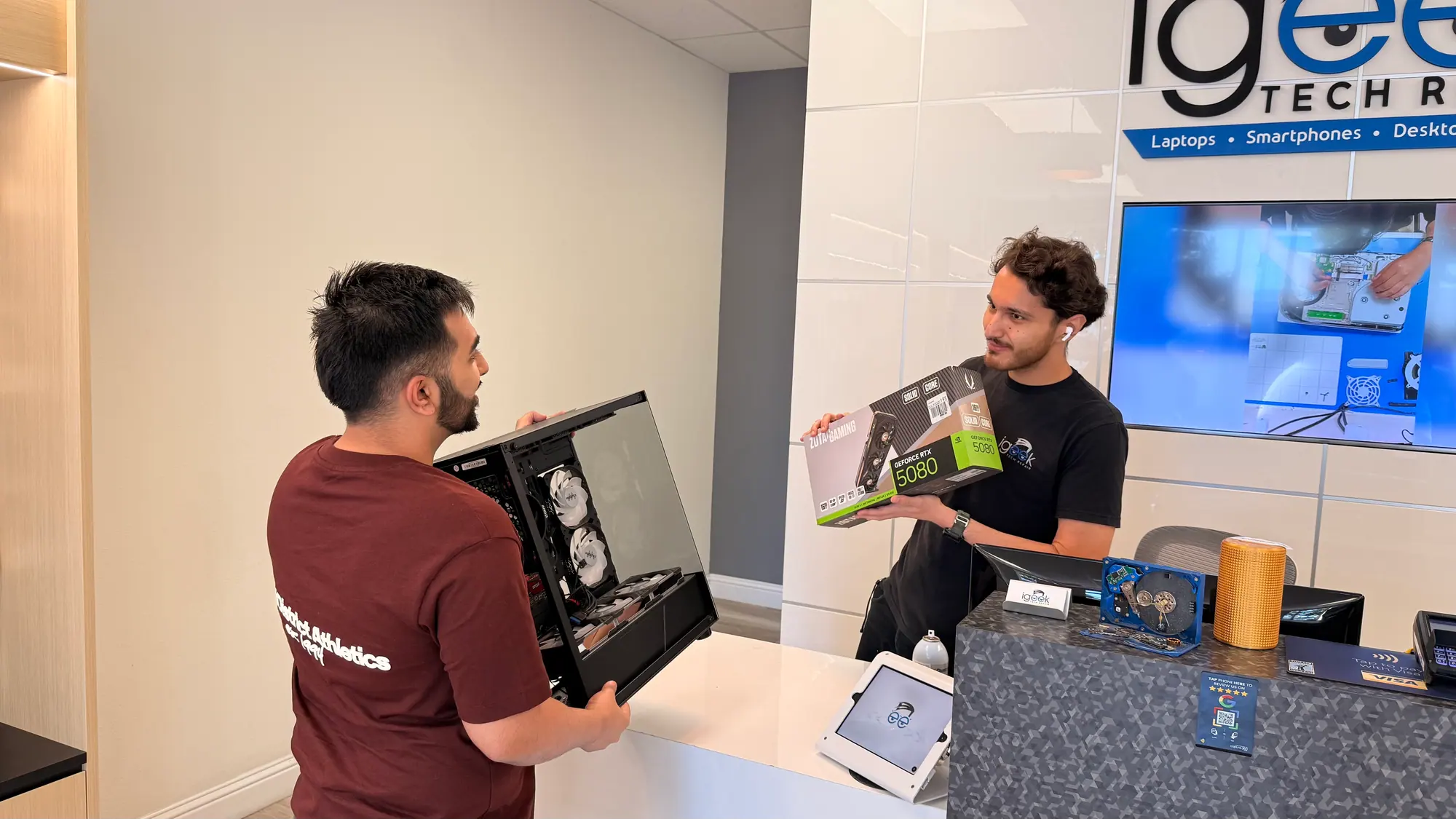
- Elk Grove, CA 8145 Elk Grove Blvd, Suite 12, Elk Grove, CA 95758
- Mon-Fri 10-5, Sat 10-3 Shop hours
- Work done in-house By our own technicians at our Elk Grove shop
- (916) 627-1818 Call or request a callback
“My laptop OS had to be replaced and an SSD was installed. When I got it back, it was quicker at starting up and loading programs than when I first bought it.”
Where The Bottleneck Is
Which part is holding it back?
A computer rarely slows down everywhere at once. One component runs out of room and the rest of the machine queues behind it. Finding that component is the difference between an upgrade worth paying for and a part that changes nothing.
Upgrades are part of our computer repair service in Elk Grove.
-
Startup crawls
A mechanical drive has to physically seek every file the operating system wants at login. Moving the system onto solid state storage removes that wait, and it is the change people notice first.
-
Tabs stall the machine
When memory runs out the system starts paging to the drive, and switching between windows turns into waiting. More RAM, in a spec the board actually supports, puts that headroom back.
-
No space left
A nearly full drive leaves the operating system nowhere to write temporary files, so it stutters and applications close on their own. A larger drive with your data carried across clears it.
-
Frame rates fall apart
Stutter and low frame rates usually point at the graphics card, but a card is only as good as the power feeding it. Wattage, connectors and case clearance get checked before we recommend one.
-
Fans never settle
Constant fan noise at idle means heat is not leaving the case. Dust packed into the fins, dried thermal compound, or a cooler never rated for the chip underneath will each do it.
-
The platform is the limit
Some machines cannot take a faster processor without a different socket, chipset and memory type. We say so plainly when a board, CPU and RAM change is the honest answer.
-
It shuts off under load
A machine that quits mid game or mid render is protecting itself from heat. Cleaning the heatsink and replacing the compound settles most of them. The rest need more cooling than they came with.
-
Extra monitors bog it down
A second and third display add pixels the graphics hardware has to push every frame. Sometimes the card is the limit, sometimes it is the dock or cable standard feeding the screens.
-
Random restarts
Power supplies age quietly and let go under load first. We test with the system working rather than idling, then fit one rated for what the build actually draws.
-
Laptop feels stuck
Plenty of business laptops from Dell, HP and Lenovo still take a drive and a memory module. Thin consumer models often solder both down, so yours gets opened and checked before anything is quoted.
-
iMac on a spinning drive
Fusion Drives and plain hard disks are why many older iMacs feel unusable. Intel era all-in-ones can usually be moved onto solid state storage instead.
-
Office PC, gaming plans
A prebuilt office tower will sometimes take a graphics card and a stronger power supply. Sometimes the case, board and cooling mean a fresh build is the better use of the money.
Parts We Fit
Matched to the machine you have.
Towers, laptops, all-in-ones and custom rigs. Before anything is ordered we check the socket, the slots, the bays, the power headroom and the room left inside the case.
-
Solid state storage
NVMe M.2 and SATA drives, with a clean system on the new drive and your files carried over. -
Memory
DDR4, DDR5 and laptop SODIMM, specified to what the board and CPU support, paired where dual channel applies. - Learn more
Graphics cards
Chosen around your power supply, case depth and the resolution you play at. Board level card faults sit on our GPU repair page. -
Processor and board
Intel and AMD platform changes for when the socket, not the chip, is what stands in the way. -
Power supplies
Rated for the real draw of the parts inside, with cabling routed so airflow is not blocked. -
Cooling and paste
Air towers and sealed liquid coolers, case fan layout, fresh thermal compound, full dust clean. -
Extra drives
Second and third drives, mirrored arrays for redundancy, network and external storage set up alongside. -
Laptop internals
Drive and memory work on models that still allow it. We confirm what yours accepts before you buy anything.
Start to finish
How an upgrade goes.
The assessment exists so nobody sells you a component that will not change how the machine feels. Every repair is quoted after inspection, before any work starts.
-
Call or come by
Tell us what the machine struggles with: gaming, video work, too many windows open, or simply waiting on it. Walk-ins welcome. Appointments welcome. Quote requests welcome.
-
We look inside
Processor, chipset, memory slots and speed, drive bays, power supply rating, clearance for a cooler or a card. That list decides what is worth fitting and what is not.
-
Parts and pricing
You get named components at more than one level, plus the labor to fit them. We'll explain your part options before you decide.
-
Fitted and tested
Components go in, firmware and drivers are brought current, and the system is loaded on the bench so it is exercised before it goes home.
Where we differ
Three ways to get it done.
The same upgrade can come from a shop that opens the machine first, a retail counter working off a script, or your own weekend. Here is how those differ in practice.
Computer Upgrades: iGeek compared with the alternatives
- Part matched to your hardware
- Checked on the bench
- Parts you bought yourself
- Accepted, checked for fit
- Told when not to bother
- Said before you spend
- Your files on the new drive
- Moved as part of the job
- Exercised after the work
- Loaded and measured
In Their Words
Upgrades people brought us.
-
I have used Hammad a few times to repair laptops. My laptop OS had to be replaced and an SSD was installed. When I got it back, it was quicker at starting up and loading programs than when I first bought it. Would definitely recommend!
SSD-makes-it-new customer LaptopStorage upgrade2024 Google review -
The employees here are incredible! I've been coming here for years and every experience has been great. I brought in a pre-built computer that ended up having some pretty serious problems, but these guys were able to install a new hard drive and fix all its issues.
Multi-issue customer ComputerStorage upgradeNov 2025 Google review -
Ryan was fast, professional, and super detailed with helping rebuild my pc. Will definitely be back for pc needs, repairs, and upgrades.
Quick-PC-rebuild PC repairNov 2025 Google review -
Very knowledgeable team, Hammad and Ryan walked me through potential upgrade routes for my PC. Will definitely go through this shop when I'm ready to get it built.
Walkthrough customer PC repairOct 2025 Google review -
Hammad upgraded my ram and hard drive and now my laptop is running like new. The turnaround was much faster than I anticipated too. iGeek will get all my future computer repair business. After getting bad advice from other repair shops, iGeek comes to the rescue again.
RAM + drive upgrade LaptopUpgrade2024 Google review -
Last week my computer was in desperate need of a upgrade and repair. Ryan was the one who helped me find the best parts at incredible prices! Ryan kept me up to date every day along the way and did a complete PC overhaul at a incredibly fast speed! Between expediting the PC build to get it back to me for the Holidays and even staying late to make it possible for me to pick up Ryan was fantastic!
Holiday-rush customer PCFull overhaulJan 2026 Google review
About cost
Components and labor, listed apart.
An upgrade quote has two halves: the components themselves and the work to fit them. Every price we give online is an estimate. Final pricing depends on part quality, part availability, device condition and what the diagnostic finds.
Buy the parts yourself or have us source them, whichever suits you. If nothing we could fit would meaningfully change how the machine behaves, we say that before you spend anything. Standard repair warranty: 30 days unless stated otherwise on your ticket.
Frequently Asked
Asked at the counter, answered here.
Will an upgrade actually change how my machine feels?
Which component should I change first on a slow computer?
Does swapping the drive cost me my files?
Is there anything upgradeable in a MacBook?
Can the memory in my laptop be replaced?
Old machine: upgrade it, or replace it?
Can I supply the components myself?
Do you put whole systems together as well?
How long will the work take?
Next step
Bring the machine in.
Call (916) 627-1818 or come by the Elk Grove shop. Tell us how you use the computer and where it lets you down, and we will tell you which component is worth changing and which one is not.
8145 Elk Grove Blvd, Suite 12, Elk Grove, CA 95758 | Mon-Fri 10-5, Sat 10-3
How we work
-
Quoted before we start
Every repair is quoted after inspection, before any work starts. Diagnostic fee quoted at check-in and applied to your repair if you proceed.
-
Parts explained first
We'll explain your part options before you decide.
-
Local, in-house repairs
Repairs are done at our Elk Grove shop by our own technicians. Ask about turnaround when you check in; it depends on the repair and parts availability.
-
After the repair
Ask about our repair warranty; terms are printed on your repair ticket.