- Diagnostic & Troubleshooting
- Elk Grove, CA
- Mail-in available
Diagnostic & Troubleshooting · Elk Grove & Sacramento
A symptom isn't a diagnosis.
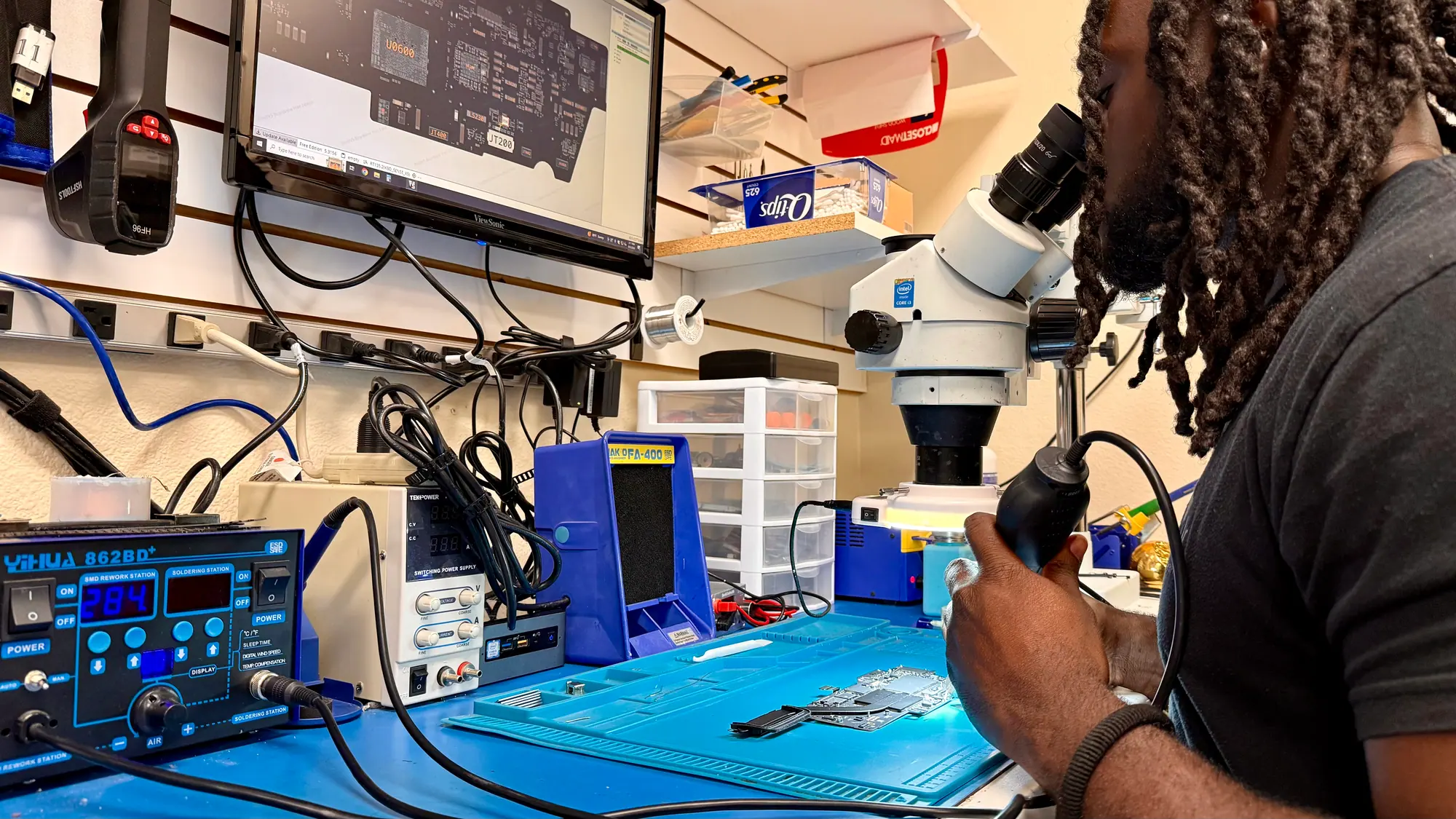
Crashes, no power, heat, a drive that sounds wrong. We put the device on the bench in Elk Grove and work out which part is actually failing before you pay to replace anything.
- Elk Grove, CA 8145 Elk Grove Blvd, Suite 12, Elk Grove, CA 95758
- Mon-Fri 10-5, Sat 10-3 Shop hours
- Work done in-house By our own technicians at our Elk Grove shop
- (916) 627-1818 Call or mail it in
“Ryan did an awesome job explaining the entire process. The service was quick when he was able to work on my system. Diagnosis was quick, he was extremely patient... Price was most definitely reasonable too.”
What Comes In
Start from the behaviour.
Almost everyone arrives with a behaviour rather than a cause. These are the ones that land on the bench most often, and what each one usually points at.
Computer diagnostics are part of our computer repair service in Elk Grove.
-
No power at all
Nothing on screen, no fan spin, no charge light. Or it starts, then cuts out. The split is usually power delivery, the board, or a drive the system cannot boot from.
-
Shuts down by itself
It drops out mid task, sometimes returning on its own. Heat is the common cause, though a tired power supply or a failing drive produces the same behaviour.
-
Blue screens and kernel panics
Windows stop codes and macOS panic logs are worth reading. They name the driver, the memory range or the device that triggered the fault, which tells us where to start.
-
Hot chassis, loud fans
Fans at full speed while the machine sits idle means heat is not leaving the cooler. Packed dust, dried thermal paste, or a process pinning the CPU all do this.
-
Apps fall over under load
Editing, rendering and games push the GPU, memory and storage hardest, so a part that passes light use can still fail there. We reproduce the fault under load.
-
Picture looks wrong
Flicker, banding, tinted colour, dim output, lines across the panel. On a laptop the suspects are the panel itself, the video cable through the hinge, or the graphics side of the board.
-
Slow to boot, slow to open
Long startups and stalling programs usually trace back to storage. SMART attributes, read speeds and reallocated sectors show whether a drive is on its way out.
-
WiFi and Bluetooth drop out
Connections that fall over, pairing that fails, an ethernet port that stays dark. We separate the radio hardware and antenna from the driver and the router.
-
Locks up hard
The screen stops responding and only holding the power button clears it. Driver conflicts, memory faults and overheating all present this way, so it gets tested rather than guessed.
-
Fine before, broken now
No drop, no spill, nothing installed, and it stopped anyway. Update history explains a lot of these: a rolled out driver or a firmware change. So does a drive that quietly reached the end.
-
Liquid got in
Drying it out does not stop corrosion. Residue keeps eating pads and traces long after the device looks dry, so the board comes out for inspection under a scope even when it still switches on.
-
Bought secondhand
Worth checking a used machine before you depend on it: battery condition, drive health, thermals, and whether the previous owner left an account lock in place.
What We Test
Same method, different hardware.
The tools change with the device. The approach does not: measure first, narrow the list, then confirm the cause before anything is replaced.
-
Desktops & PCs
Towers, all-in-ones, small form factor office machines, and builds put together by their owner. -
Laptops
Windows notebooks, Chromebooks, thin and light chassis, gaming laptops, plus docking and external display faults. -
Macs (all)
MacBook Air and Pro, iMac, Mac mini, Mac Studio and Mac Pro, on Intel and on Apple silicon. -
Phones
iPhone, Galaxy, Pixel and other Android handsets: power, charging, display, cameras and software faults. -
Logic boards
When every part that simply swaps out has been ruled out, the board itself gets checked. Advanced repair work is performed in-house where applicable. -
Power & charging
Power supplies, charge ports, USB-C behaviour, battery condition, and machines that will not come up at all. -
Storage health
SMART attributes, surface reads and transfer rates, so a drive sitting on the edge is caught while its contents are still readable. -
Software & drivers
Update failures, driver conflicts, startup problems, and instability that looks like hardware but is not.
How a diagnostic runs
From drop-off to decision.
Testing beats guessing. Each stage cuts the list of possible causes down until one of them is confirmed, and you hear what we found either way.
-
Check it in
Come to the Elk Grove shop with the device, or mail it in from anywhere in the US if you are not nearby. What you were doing when it started, and anything that changed just before, saves real testing effort; if you mail it in, put that in the notes on the form. Walk-ins welcome. Appointments welcome. Quote requests welcome.
-
Testing
Bench work covers memory, storage, thermals and power, alongside event logs, driver state and a physical inspection of the board. Ask about turnaround when you check in; it depends on the repair and parts availability.
-
Findings and a quote
You get the fault in plain terms, the part or the work it needs, and the cost. Every repair is quoted after inspection, before any work starts. The diagnostic fee is applied toward the repair when you approve it.
-
Your call
If the repair makes sense, we do it. If the cost lands near what a comparable replacement would run, we say so and leave the decision with you.
How We Compare
Where the approaches differ.
Diagnosis gets handled differently depending on where a device goes. This is how the Elk Grove bench lines up against the usual alternatives.
Diagnostic & Troubleshooting: iGeek compared with the alternatives
- What the diagnostic costs
- $49 for most devices, $99 for gaming and custom PCs, graphics cards, liquid damage, data recovery, board repair and unusual devices, credited toward an approved repair.
- Told when a repair is not worth it
- Said plainly
- Speak to the person testing it
- Yes, at the counter; mail-ins hear from the technician
- Older and out-of-support hardware
- Still tested
- Explains the finding
- In plain language, with the evidence
Customers On Diagnosis
Their words, not ours.
-
Ryan did an awesome job explaining the entire process. The service was quick when he was able to work on my system. Diagnosis was quick, he was extremely patient waiting on me with getting the parts to him, then the work was done and completed right away. Price was most definitely reasonable too.
Patient customer ComputerDiagnosticMay 2025 Google review -
Ryan the Manager was extremely knowledgeable and helpful with explaining all the details going into fixing my son's computer. I truly appreciate his great customer service and patience in troubleshooting and ensuring he can resolve the computer problem.
Parent of son Computer repairNov 2025 Google review -
Fast and personable. They diagnosed issues with our circuit board faster than the time quoted and were able to locate parts that I thought were impossible to find. Thank you!
Circuit-board case iGeek Tech RepairNov 2025 Google review -
The team at iGeek were very helpful with repairing my pc. They gave me updates and worked diligently to find out why my pc stopped functioning. Once they identified the issues they gave me options on repairs and amounts. I walked away with a pleasant experience.
PC repair customer PC repairJun 2025 Google review -
Laptop was getting finicky. Took to Ryan for troubleshooting. It smoked on his bench. Toast. Bought a newer laptop. Good service.
Honest-call customer Laptop repairApr 2026 Google review -
I took in an inherited Mac laptop that was not maintaining a WiFi connection. They diagnosed the same as Apple but offered to fix it for less. They also agreed with Apple that it was not worth the cost to fix it. They were able to get me a VERY NICE used Apple iBook for a very fair price.
Inherited Mac customer Mac repairJun 2025 Google review
About The Fee
Why the diagnostic is charged.
Diagnostic: $49 for phones, tablets, Macs, everyday Windows laptops and desktops, game consoles and most other devices. Diagnostic: $99 for gaming PCs and laptops, custom-built PCs, a graphics card on its own, liquid damage, data recovery, board repair and unusual devices such as printers and drones. The diagnostic fee is applied toward the repair when you approve it.
A diagnostic is a technician on a bench with test equipment, not a glance at the symptom. Charging for that work is what makes it worth doing properly, and it keeps the answer honest when the answer is inconvenient.
Once the fault has a name, you get a price for the work. Every repair is quoted after inspection, before any work starts. Every price we give online is an estimate. Final pricing depends on part quality, part availability, device condition and what the diagnostic finds.
Frequently Asked
Asked at the counter, answered here.
What happens during a diagnostic?
Is my data at risk while you test?
Do I have to agree to the repair up front?
What does a diagnostic cost?
Can you diagnose phones and tablets, or only computers?
Can any of this be done remotely?
What if the fault does not show up while you have it?
What if it is not worth repairing?
How long will you have it?
Next Step
Start with a diagnostic.
Bring the device to the Elk Grove shop, or mail it in if you are not nearby, and we will put it on the bench. Desktop towers, all-in-ones such as the iMac, and Mac Studio: call us first. Diagnostic: $49 for phones, tablets, Macs, everyday Windows laptops and desktops, game consoles and most other devices. Diagnostic: $99 for gaming PCs and laptops, custom-built PCs, a graphics card on its own, liquid damage, data recovery, board repair and unusual devices such as printers and drones. The diagnostic fee is applied toward the repair when you approve it.
8145 Elk Grove Blvd, Suite 12, Elk Grove, CA 95758 | Mon-Fri 10-5, Sat 10-3
How we work
-
Quoted before we start
Every repair is quoted after inspection, before any work starts. Diagnostic fee quoted at check-in and applied to your repair if you proceed.
-
Parts explained first
We'll explain your part options before you decide.
-
Local, in-house repairs
Repairs are done at our Elk Grove shop by our own technicians. Ask about turnaround when you check in; it depends on the repair and parts availability.
-
After the repair
Ask about our repair warranty; terms are printed on your repair ticket.